Chrome Extension · Developer Tools

Capture animations.
Feed them to AI.

SnapFrame records website animations and exports structured keyframe sequences — PNG frames with timing metadata and easing curves — packaged for AI models to understand and recreate.

SnapFrame extension popup showing capture controls
Features

Everything you need to capture motion

Not another screen recorder. SnapFrame understands animation structure and outputs data that AI models can actually work with.

Smart Keyframe Extraction

Not hundreds of duplicate frames. The differencing engine detects only frames where meaningful visual change occurs — typically reducing 300 raw frames to 30 keyframes.

AI-Ready Output

Each export includes sequenced PNGs, a metadata.json with timestamps, change deltas, and easing data, plus a prompt.txt ready to paste into Claude, ChatGPT, or Cursor.

Easing Detection

Automatically estimates whether the animation uses linear, ease-in, ease-out, or ease-in-out timing by analyzing frame-to-frame change deltas across the sequence.

Two Capture Modes

Auto-scroll captures the entire page from top to bottom at configurable speed. Manual mode lets you trigger hover effects, clicks, and any custom interaction.

How It Works

Three steps. Zero config.

Click, record, export. SnapFrame handles the frame extraction, differencing, and packaging automatically.

01

Record

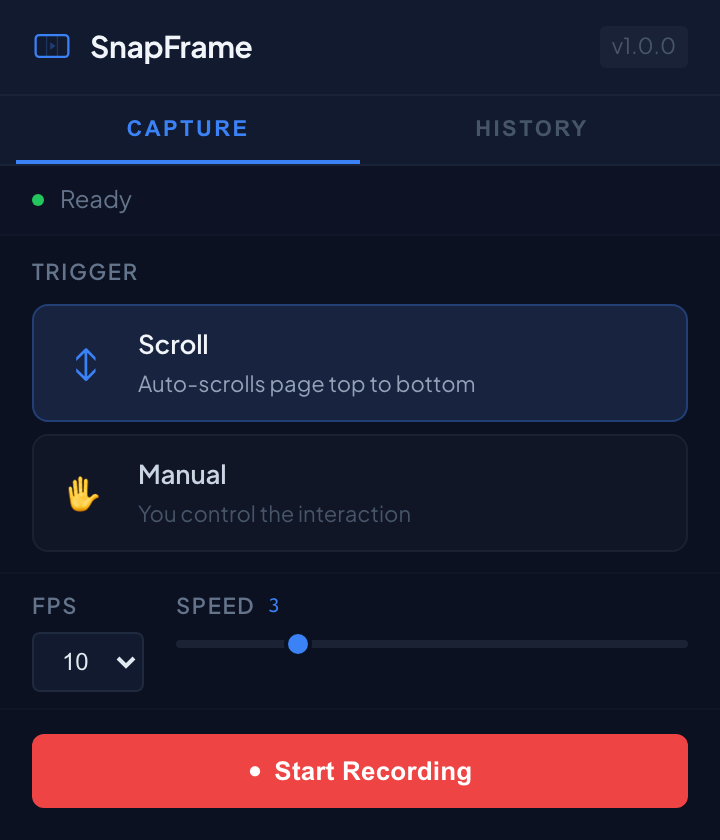
Click the SnapFrame icon, pick your trigger mode and FPS, then hit Start Recording. The extension captures the tab's visual output as a stream.

SnapFrame ready to record
02

Extract

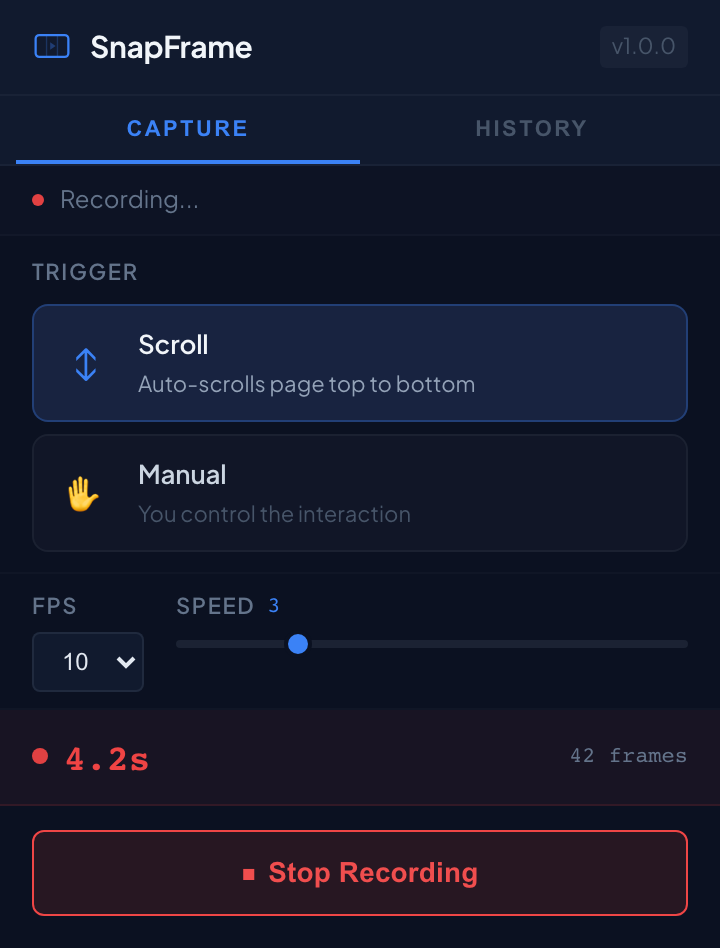
When you stop, the differencing engine compares every frame pixel-by-pixel and extracts only the keyframes where real visual change happened.

SnapFrame recording in progress
03

Export

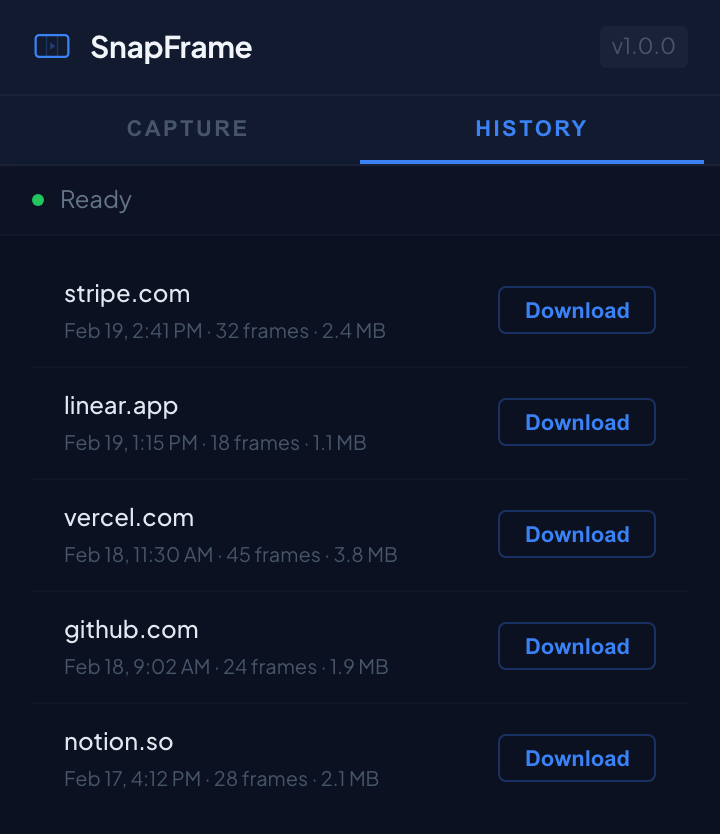
Download a ZIP containing sequenced PNGs, metadata.json with timing data, and a prompt ready for any AI assistant. Re-download anytime from history.

SnapFrame recording history
Output

Structured data, not just pixels

Every export includes a metadata.json with frame-level timing, change detection scores, and estimated easing.

metadata.json
{
  "extension": "SnapFrame",
  "source_url": "https://stripe.com",
  "animation_trigger": "scroll",
  "fps_captured": 10,
  "estimated_easing": "ease-in-out",
  "extracted_keyframe_count": 32,
  "recording_duration_ms": 4200,
  "frames": [
    { "file": "frame_001.png", "timestamp_ms": 0, "change_delta": 0 },
    { "file": "frame_002.png", "timestamp_ms": 320, "change_delta": 0.42 },
    { "file": "frame_003.png", "timestamp_ms": 680, "change_delta": 0.31 }
  ]
}

Ready to capture your first animation?

Free. No account required. Works on any website.

Add to Chrome — It's Free

Works with Chrome 116+

Privacy Policy

Last updated: February 19, 2026

Summary

SnapFrame processes everything locally in your browser. No data is collected, transmitted, or shared with any external server. Captured frames never leave your machine unless you explicitly export and share them.

What SnapFrame Accesses

  • The visual contents of the currently active browser tab, only when you explicitly start a recording by clicking the Record button
  • Your extension preferences (FPS, scroll speed, trigger mode), stored locally in Chrome storage
  • Recent recording history (up to 10 recordings), stored locally in your browser's IndexedDB

What SnapFrame Does NOT Do

  • Does not collect any personal information
  • Does not track your browsing activity or history
  • Does not transmit any data to external servers
  • Does not use analytics, telemetry, or third-party tracking scripts
  • Does not read or modify page content — the content script only injects UI overlays and performs auto-scrolling when explicitly triggered
  • Does not load or execute any remote code

Data Storage

All captured frames, metadata, and recording history are stored entirely on your device using Chrome's local storage and IndexedDB APIs. Recording history is capped at 10 entries. Nothing leaves your machine unless you explicitly download and share an export file.

Permissions Explained

activeTab — Grants temporary access to the current tab only when you click the SnapFrame icon. No background tab access.

tabCapture — Records the visual contents of the active tab as a video stream for frame extraction. Processed entirely locally.

offscreen — Creates a background document to process video frames using Canvas APIs not available in service workers.

scripting — Injects the recording indicator overlay and auto-scroll functionality into the page you're capturing.

alarms — Keeps the service worker alive during active recordings. Cleared immediately when recording stops.

downloads — Saves the exported ZIP file to your filesystem. Always prompts with a save dialog.

storage — Persists your FPS, speed, and trigger mode preferences between sessions.

unlimitedStorage — Allows recording history (ZIP files) to exceed Chrome's default 5MB quota. Bounded to 10 recordings maximum.

Contact

Questions about this policy? Email contact@slpwlk.io.